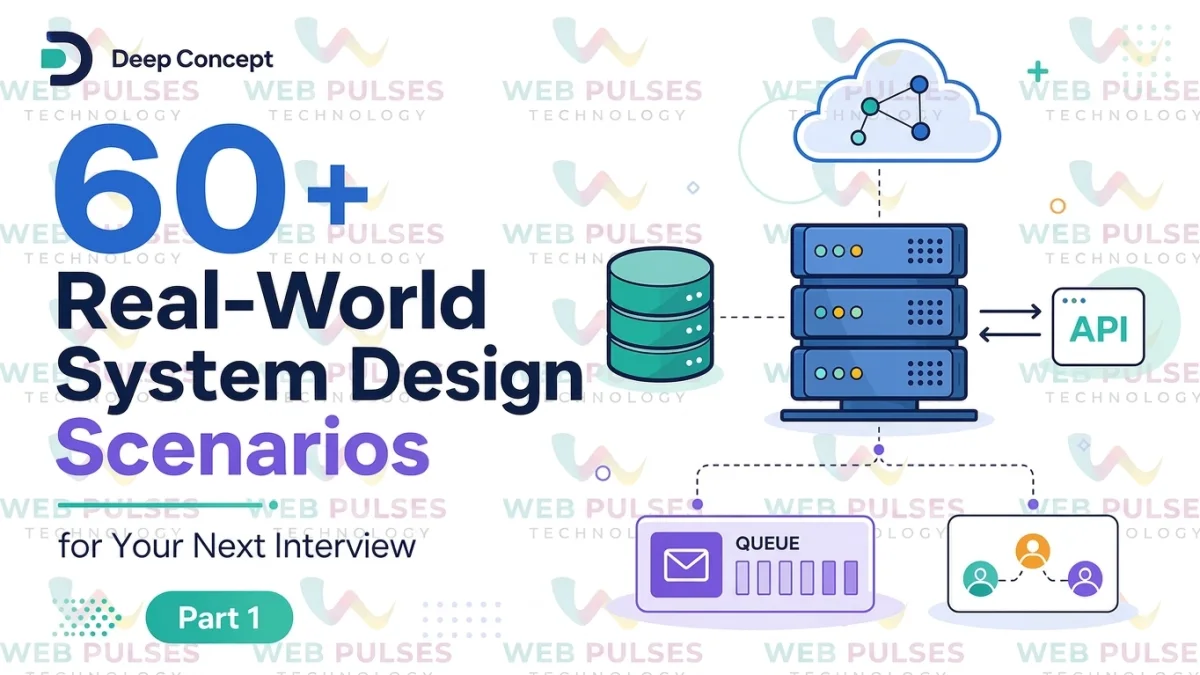
System design interviews are not about drawing boxes and arrows. They are about understanding how real systems behave when users, traffic, data, failures, and business requirements grow.
You may already know what an API, database, cache, message queue, load balancer, CDN, and microservice are. But knowing these technologies individually is very different from knowing when, why, and how to combine them.

Imagine an interviewer asks:
“Design a URL shortener that can handle millions of users.”
Or:
“How would you design a food delivery platform?”
Or:
“Design a payment system that prevents duplicate transactions.”
The difficult part isn't naming technologies. The real challenge is deciding where each component belongs, what can fail, how the system scales, and what trade-offs you are willing to make.
This guide covers 30 practical system design scenarios that developers can use to prepare for interviews and, more importantly, to improve their ability to design production-ready software.
What Is System Design?
System design is the process of deciding how different components of a software system work together to satisfy functional and non-functional requirements.
A typical system may contain:
-
Clients
-
APIs
-
Load balancers
-
Application servers
-
Databases
-
Caches
-
Message queues
-
Object storage
-
Search engines
-
CDNs
-
Authentication services
-
Monitoring systems
-
Notification services
The goal isn't always to use every technology.
In fact, good system design often means avoiding unnecessary complexity.
For example, a small internal application may work perfectly with:
Browser → Backend → PostgreSQL
There may be no reason to introduce Kafka, Redis, Kubernetes, Elasticsearch, and ten microservices.
However, when the application grows to millions of users, the architecture may evolve into something like:
Client → CDN → Load Balancer → Application Services → Cache → Database
with asynchronous processing through queues and dedicated services for search, notifications, payments, analytics, and other workloads.
The architecture should grow according to the requirements.
How to Approach a System Design Interview
Before jumping into architecture diagrams, follow a structured process.
1. Clarify the Requirements
Start by understanding what the system actually needs to do.
Ask questions such as:
-
Who are the users?
-
What actions can users perform?
-
How many users are expected?
-
How many requests per second are expected?
-
Is real-time communication required?
-
How much data will be stored?
-
What availability is required?
-
How important is consistency?
-
What happens when a component fails?
For example, designing a messaging application and designing an analytics dashboard may both involve APIs and databases, but their requirements are completely different.
2. Estimate the Scale
You don't need perfectly accurate numbers.
You need reasonable assumptions.
Suppose an application has:
-
10 million registered users
-
1 million daily active users
-
100 requests per user per day
That gives approximately:
100 million requests per day
Dividing by the number of seconds in a day gives an average of roughly:
1,157 requests per second
But real systems don't receive traffic uniformly.
During peak periods, traffic may be 5–10 times higher.
That means your architecture may need to support several thousand requests per second.
This simple calculation can influence decisions about:
-
Database capacity
-
Number of application servers
-
Caching
-
Load balancing
-
Queue usage
-
Horizontal scaling
30 Real-World System Design Scenarios
1. Design a URL Shortener
Examples include systems similar to Bitly.
A user provides:
https://example.com/very-long-page
The service returns:
https://short.example/Ab72X
When someone opens the short URL, the system redirects them to the original URL.
Important components
-
REST API
-
URL generation service
-
Database
-
Cache
-
Load balancer
-
Analytics service
Interesting challenges
The system needs a unique short code for every URL.
A cache can store frequently accessed mappings:
Short Code → Original URL
Because redirects are read-heavy, caching can significantly reduce database load.
Questions to consider:
-
How are unique IDs generated?
-
What happens if two servers generate the same code?
-
How long should URLs remain active?
-
How should click analytics be processed?
2. Design a Rate Limiter
A rate limiter prevents users or applications from sending unlimited requests.
For example:
100 requests per minute per user
A rate limiter can protect:
-
APIs
-
Login endpoints
-
Payment systems
-
Search services
-
Public APIs
Common algorithms include:
-
Fixed Window
-
Sliding Window
-
Token Bucket
-
Leaky Bucket
Redis is frequently useful because counters need fast reads and writes.
A simplified architecture could be:
Client → API Gateway → Rate Limiter → Application
The rate limiter should be distributed when multiple application servers are handling traffic.
3. Design a Social Media Feed
Imagine designing the feed for a social network.
Users follow other users and see their posts.
The challenge is that generating the feed dynamically can become expensive.
Suppose a celebrity has 50 million followers.
If every new post is immediately copied into 50 million feeds, the system could perform an enormous number of writes.
This leads to an important system-design trade-off:
Fan-out on Write
When a user publishes content, distribute it to followers' feeds.
Good for read performance but expensive for users with huge follower counts.
Fan-out on Read
Generate the feed when the user requests it.
This reduces writes but increases read complexity.
Large platforms may use a hybrid approach.
4. Design a Chat Application
Examples include WhatsApp-like or Slack-like systems.
Important requirements may include:
-
One-to-one messaging
-
Group messaging
-
Online status
-
Message delivery
-
Read receipts
-
Push notifications
-
Message history
WebSockets can provide persistent connections for real-time communication.
A simplified architecture:
Client → WebSocket Gateway → Messaging Service → Message Store
When a recipient is offline, the message can be stored and a push notification can be generated.
Important questions:
-
How do you handle millions of concurrent connections?
-
How are messages ordered?
-
How do you prevent duplicate messages?
-
How are offline messages delivered?
5. Design a Notification System
Many applications need notifications.
Examples:
-
Email
-
SMS
-
Push notifications
-
In-app notifications
Instead of sending notifications directly during a user's request, use asynchronous processing.
For example:
Application → Message Queue → Notification Workers
The application publishes an event:
ORDER_CREATED
A worker consumes the event and sends the appropriate notification.
This prevents slow email or SMS providers from blocking the main request.
A queue also provides buffering during traffic spikes.
6. Design an E-Commerce Platform
An e-commerce system typically contains:
-
User service
-
Product catalog
-
Inventory
-
Cart
-
Order service
-
Payment service
-
Shipping service
-
Notification service
One major challenge is inventory consistency.
Suppose only one product remains.
Two customers attempt to purchase it simultaneously.
The system must prevent both customers from successfully buying the same inventory.
Possible approaches include:
-
Database transactions
-
Atomic updates
-
Distributed locks
-
Inventory reservation
The correct solution depends on scale and consistency requirements.
7. Design a Payment System
Payment systems require extremely careful design.
Important requirements include:
-
Idempotency
-
Transaction consistency
-
Auditability
-
Security
-
Retry handling
-
Fraud detection
-
Failure recovery
Consider a payment request:
POST /payments
The client sends the request, but the network connection fails before receiving the response.
The client retries.
Without idempotency, the customer might be charged twice.
An idempotency key allows the server to recognize that the retry belongs to the same transaction.
This is one of the most important concepts in payment system design.
8. Design a Ride-Sharing Application
Think about applications similar to Uber or Lyft.
The system needs:
-
Driver location tracking
-
Passenger requests
-
Driver matching
-
Pricing
-
Trip management
-
Maps
-
Payments
-
Notifications
Location data can generate huge volumes of writes.
A location service might receive updates every few seconds from millions of drivers.
The architecture must therefore handle:
-
High write throughput
-
Geospatial queries
-
Real-time updates
-
Low-latency matching
9. Design a Food Delivery System
A food delivery platform connects:
Customer → Restaurant → Delivery Partner
Important workflows include:
-
Customer places order.
-
Restaurant accepts order.
-
Restaurant prepares food.
-
Delivery partner is assigned.
-
Delivery partner collects order.
-
Customer receives order.
-
Payment and settlement are completed.
These operations should often be event-driven.
For example:
ORDER_PLACED
can trigger:
-
Restaurant notification
-
Inventory updates
-
Delivery matching
-
Customer notification
-
Analytics events
10. Design a Video Streaming Platform
Video streaming is extremely bandwidth intensive.
Storing videos directly on application servers is usually a poor architecture.
Instead, use:
-
Object storage
-
Video transcoding
-
CDN
-
Metadata database
-
Streaming service
A video uploaded by a creator can go through:
Upload → Object Storage → Transcoding → Multiple Resolutions → CDN
The CDN serves content from locations closer to users.
This reduces latency and decreases the load on the origin infrastructure.
11. Design a File Storage System
Think about Google Drive-like functionality.
Users should be able to:
-
Upload files
-
Download files
-
Rename files
-
Delete files
-
Create folders
-
Share files
Large files should generally not pass through application servers unnecessarily.
A common design is:
Client → API → Pre-signed Upload URL → Object Storage
The application controls permissions while the actual file transfer happens directly between the client and storage service.
This approach can significantly reduce application-server bandwidth usage.
12. Design a Search System
Search becomes difficult at large scale.
A simple database query may work for a small application:
SELECT * FROM products WHERE name LIKE '%phone%'
But large-scale search usually requires a dedicated search engine.
A search architecture might contain:
Application → Search API → Search Cluster
Data can be indexed asynchronously.
When a product changes:
Database → Event → Indexing Worker → Search Index
This separates transactional storage from search workloads.
13. Design an API Gateway
An API gateway provides a centralized entry point for backend services.
It can handle:
-
Authentication
-
Rate limiting
-
Request routing
-
Logging
-
TLS termination
-
API versioning
-
Request validation
For a microservices architecture, clients should not necessarily communicate directly with every internal service.
Instead:
Client → API Gateway → Internal Services
The gateway can simplify security and routing.
14. Design a Distributed Cache
Caching improves performance by keeping frequently accessed data in memory.
Common cache candidates include:
-
User profiles
-
Product information
-
Configuration
-
Sessions
-
Popular content
A common architecture is:
Application → Cache → Database
If data exists in the cache, return it immediately.
Otherwise:
-
Read from database.
-
Store result in cache.
-
Return result.
But caching introduces another problem:
Cache invalidation.
Whenever the underlying data changes, the application needs a strategy for updating or invalidating cached data.
15. Design an Online Ticket Booking System
Imagine booking movie tickets.
Two users may attempt to purchase the same seat simultaneously.
The system must avoid double booking.
A typical flow:
Seat Selection → Temporary Reservation → Payment → Confirmation
Seats can be temporarily locked for a limited period.
If payment isn't completed, the reservation expires and the seat becomes available again.
This introduces concepts such as:
-
Distributed locking
-
Transactions
-
Expiration
-
Concurrency control
-
Idempotency
16. Design a Job Queue
Some operations don't need to happen immediately.
Examples:
-
Sending emails
-
Generating reports
-
Processing images
-
Video conversion
-
Data exports
Instead of processing them during the HTTP request:
API → Queue → Worker
Workers process jobs asynchronously.
This architecture also allows worker capacity to scale independently.
During heavy traffic, jobs can accumulate in the queue instead of overwhelming the application.
17. Design an Image Processing Service
Users upload images that need:
-
Resizing
-
Compression
-
Thumbnail generation
-
Format conversion
-
Metadata extraction
Instead of processing images synchronously, publish an event:
IMAGE_UPLOADED
A worker consumes the event and processes the image.
The resulting versions can be stored in object storage and delivered through a CDN.
18. Design an Analytics System
Analytics systems often process enormous volumes of events.
For example:
-
Page views
-
Button clicks
-
Purchases
-
Searches
-
Login events
A common architecture is:
Application → Event Collector → Queue/Stream → Processing → Data Warehouse
The analytics system should not slow down the main application.
Therefore, event collection is often asynchronous.
19. Design a Logging System
At scale, applications generate huge numbers of logs.
A centralized logging system can collect logs from:
-
Application servers
-
Databases
-
Containers
-
Load balancers
-
Background workers
A typical pipeline:
Services → Log Collector → Stream/Queue → Log Storage → Search/Dashboard
Important requirements include:
-
Searchability
-
Retention
-
Compression
-
Alerting
-
Security
-
Access control
20. Design a Monitoring and Alerting System
Monitoring answers questions such as:
-
Is the API healthy?
-
What's the CPU utilization?
-
What's the error rate?
-
What's the average latency?
-
Is the database overloaded?
Useful metrics include:
Latency
Throughput
Error Rate
CPU/Memory Usage
Queue Depth
Database Connections
A monitoring platform can trigger alerts when metrics cross predefined thresholds.
21. Design an Authentication System
Authentication systems manage:
-
Registration
-
Login
-
Password reset
-
Sessions
-
Access tokens
-
Refresh tokens
-
Multi-factor authentication
Passwords should never be stored as plain text.
They should be securely hashed using an appropriate password-hashing algorithm.
For distributed applications, token-based authentication can allow multiple services to validate user identity without maintaining local session state.
22. Design a Multi-Tenant SaaS Application
SaaS applications often serve many organizations from the same platform.
For example:
Company A → Users → Projects
Company B → Users → Projects
A major architectural question is how tenant data should be isolated.
Possible strategies include:
Shared Database, Shared Tables
Every row contains a tenant identifier.
Shared Database, Separate Schemas
Each tenant receives a separate schema.
Separate Database Per Tenant
Strong isolation but more operational complexity.
The correct choice depends on scale, security requirements, compliance, and cost.
23. Design a Distributed Scheduler
Imagine a system that needs to run millions of scheduled tasks.
Examples:
-
Send reminder emails
-
Generate reports
-
Process subscriptions
-
Run cleanup jobs
The scheduler must prevent multiple workers from executing the same job unintentionally.
It may require:
-
Distributed locks
-
Job ownership
-
Retry policies
-
Dead-letter queues
-
Job status tracking
24. Design a Recommendation System
Recommendation engines suggest:
-
Products
-
Videos
-
Articles
-
Songs
-
Courses
The system may use signals such as:
-
User history
-
Clicks
-
Purchases
-
Ratings
-
Search behavior
A recommendation system often has both online and offline components.
Offline pipelines can process large datasets and generate recommendations.
The online service then retrieves recommendations quickly when a user opens the application.
25. Design a Real-Time Location Tracking System
Consider tracking delivery agents or company vehicles.
Millions of devices may continuously send location updates.
The architecture must handle high write throughput while supporting queries such as:
“Which drivers are within 2 km of this customer?”
Geospatial indexes and specialized storage techniques may be required.
The system also needs to consider:
-
Location accuracy
-
Update frequency
-
Battery consumption
-
Data retention
-
Privacy
26. Design a Distributed Counter
A simple counter looks easy:
counter = counter + 1
But in a distributed system, many servers may update the same counter simultaneously.
Examples include:
-
Video views
-
Likes
-
Followers
-
Downloads
-
API usage
Concurrency can create race conditions.
Possible solutions include:
-
Atomic database operations
-
Redis atomic commands
-
Sharded counters
-
Event aggregation
For extremely high traffic, counters may be aggregated asynchronously rather than updated centrally for every request.
27. Design a Content Delivery Network
A CDN stores frequently requested content close to users.
Instead of:
User → Origin Server
the architecture becomes:
User → Edge Server → Origin
Static resources such as:
-
Images
-
JavaScript
-
CSS
-
Videos
-
Downloads
can be cached at edge locations.
The major challenge is cache invalidation.
When content changes, the system must determine how quickly old content should disappear from edge caches.
28. Design an Order Management System
An order management system needs to track an order through multiple states:
CREATED
→ CONFIRMED
→ PROCESSING
→ SHIPPED
→ DELIVERED
Potential problems arise when operations fail midway.
For example, payment succeeds but the order service doesn't receive the confirmation.
Distributed systems therefore need mechanisms such as:
-
Events
-
Retries
-
Idempotency
-
Transaction logs
-
Reconciliation jobs
A reconciliation process can periodically identify inconsistent states and repair them.
29. Design a Large-Scale Import System
Suppose users upload a CSV containing 10 million records.
Processing everything inside one HTTP request is a bad idea.
Instead:
Upload → Object Storage → Import Job → Queue → Workers → Database
Workers can process records in batches.
This provides:
-
Progress tracking
-
Retry capability
-
Parallel processing
-
Failure isolation
The user can receive a job ID and monitor the import status.
30. Design a Highly Available Web Application
Finally, consider a general web application that cannot afford significant downtime.
A highly available architecture may include:
-
Multiple application instances
-
Load balancer
-
Database replication
-
Automated health checks
-
Cache replication
-
Multiple availability zones
-
Backups
-
Monitoring
-
Disaster recovery
The key principle is:
Don't allow one component to become a single point of failure.
If one application server fails, traffic should move to another.
If a database replica fails, another replica should be available.
If a service becomes unhealthy, automated mechanisms should detect the problem.
The Most Important System Design Concepts to Master
Practicing scenarios is useful, but you should also understand the concepts behind them.
Scalability
There are two common approaches.
Vertical Scaling
Increase the capacity of one server.
For example:
-
More CPU
-
More RAM
-
Faster storage
Horizontal Scaling
Add more servers.
For large distributed applications, horizontal scaling is often preferred because it provides better fault tolerance and flexibility.
Caching
Caching is useful when the same data is requested repeatedly.
Popular caching patterns include:
Cache-Aside
The application checks the cache first.
If data isn't available, it reads from the database and then populates the cache.
Write-Through
Data is written to cache and persistent storage together.
Write-Behind
Data is initially written to cache and persisted later.
Each strategy has different performance and consistency characteristics.
Database Selection
Choosing a database isn't simply about choosing the fastest technology.
Consider:
-
Data model
-
Query patterns
-
Consistency
-
Transactions
-
Scale
-
Availability
-
Operational complexity
Relational databases are excellent when strong relationships and transactions are important.
NoSQL databases can be useful for specific high-scale workloads and flexible data models.
The important interview skill is explaining why you selected a particular database.
SQL vs NoSQL
Instead of saying:
“NoSQL is better for scalability.”
Explain the actual requirement.
For example:
A relational database may be appropriate for:
-
Payments
-
Orders
-
Financial records
-
Complex relationships
A NoSQL solution may be useful for:
-
Massive key-value workloads
-
High-volume event data
-
Certain document-oriented applications
There is no universally best database.
Message Queues
Queues help separate producers from consumers.
For example:
Order Service → Queue → Notification Worker
If notification processing slows down, orders can continue to be accepted.
Queues also provide buffering during traffic spikes.
Important concepts include:
-
Retry
-
Dead-letter queue
-
Consumer scaling
-
Message ordering
-
At-least-once delivery
-
Idempotent consumers
CAP Theorem
CAP is one of the most frequently discussed topics in distributed system interviews.
It describes a trade-off between:
-
Consistency
-
Availability
-
Partition tolerance
When a network partition occurs, a distributed system must make trade-offs between consistency and availability.
The important part isn't memorizing the acronym.
Understand what happens to your application when different nodes cannot communicate.
Consistency vs Availability
Consider a social media like counter.
Does every user need to see the exact latest count immediately?
Probably not.
A small delay may be acceptable.
But consider a bank transfer.
You cannot casually accept inconsistent balances.
Therefore, system requirements determine the appropriate consistency model.
Reliability and Fault Tolerance
Production systems fail.
Servers crash.
Networks disconnect.
Databases become unavailable.
Third-party APIs time out.
Queues become overloaded.
A good architecture assumes failures will happen.
Useful techniques include:
-
Timeouts
-
Retries
-
Exponential backoff
-
Circuit breakers
-
Health checks
-
Replication
-
Failover
-
Graceful degradation
Observability
A system isn't production-ready simply because it works.
You need to know when it stops working.
Observability generally includes:
Logs
Detailed application events.
Metrics
Numerical measurements such as CPU, latency, and request rate.
Traces
Tracking a request across multiple services.
Together, these help engineers understand what is happening inside distributed systems.
Security in System Design
Security should be considered from the beginning.
Important areas include:
-
Authentication
-
Authorization
-
Encryption
-
Secret management
-
Rate limiting
-
Input validation
-
Audit logging
-
Data protection
-
Network security
Never treat security as something to add after the architecture is complete.
How to Practice These System Design Problems
Don't simply memorize architecture diagrams.
For every problem, practice answering these questions:
1. What are the functional requirements?
What should the system actually do?
2. What are the non-functional requirements?
Consider:
-
Scalability
-
Availability
-
Latency
-
Consistency
-
Security
3. What is the expected traffic?
Estimate:
-
Requests per second
-
Reads vs writes
-
Peak traffic
4. What data needs to be stored?
Identify:
-
Entities
-
Relationships
-
Access patterns
-
Data volume
5. Where will caching help?
Look for frequently accessed, relatively stable data.
6. Where should asynchronous processing be used?
Identify operations that don't need to block the user's request.
7. What happens when something fails?
This is where many interview candidates stop too early.
Always ask:
“What happens if this component goes down?”
8. What are the trade-offs?
There is rarely one perfect architecture.
Explain why you chose one approach over another.
A Simple Framework for Any System Design Interview
When you receive a new problem, use this sequence:
Requirements
↓
Scale Estimation
↓
API Design
↓
Data Model
↓
High-Level Architecture
↓
Database Selection
↓
Caching
↓
Queues / Async Processing
↓
Scaling Strategy
↓
Reliability
↓
Security
↓
Monitoring
↓
Trade-offs
This framework prevents you from jumping randomly between technologies.
Final Thoughts
System design becomes much easier when you stop trying to memorize individual architectures.
The real skill is learning how to reason about a system.
When you see a new problem, ask:
How much traffic will it receive?
What data needs to be stored?
Which operations are read-heavy?
Which operations are write-heavy?
Where can caching reduce load?
Which operations can happen asynchronously?
What happens when a server fails?
What happens when the database becomes unavailable?
How will the system scale from thousands to millions of users?
What consistency level does the business actually require?
Once you start asking these questions naturally, system design interviews become less about guessing the “correct architecture” and more about demonstrating your engineering reasoning.
The best system design answers aren't necessarily the ones containing the most technologies.
They are the ones that clearly explain requirements, architecture, bottlenecks, failure scenarios, scaling strategies, and trade-offs.
Start with a simple design.
Find its bottlenecks.
Then improve it.
That is how real-world systems evolve—and that is exactly the mindset interviewers are looking for.
Frequently Asked Questions About System Design
What is system design in software engineering?
System design is the process of planning the architecture, components, databases, APIs, communication patterns, and infrastructure required to build a software system that meets functional and non-functional requirements.
How do I prepare for a system design interview?
Start with fundamentals such as databases, caching, load balancing, queues, APIs, distributed systems, scalability, and reliability. Then practice real-world problems such as URL shorteners, chat applications, payment systems, social feeds, ticket booking, and video streaming.
Should I learn microservices for system design interviews?
Microservices are useful, but you should not introduce them automatically. Explain why separating services is beneficial for the specific requirements of the problem.
Is Redis required for system design?
No. Redis is useful for caching, counters, sessions, rate limiting, and some distributed workloads, but it should be introduced only when the requirements justify it.
Which database should I choose in a system design interview?
Choose based on access patterns, consistency requirements, relationships, transactions, scale, and operational requirements. There is no universally best database.
How important is scalability in system design?
Scalability is one of the most important considerations, especially when designing systems expected to serve large numbers of users. However, scalability should be balanced with cost, simplicity, reliability, and consistency.
Suggested Internal Links for WebPulses
To strengthen the SEO structure of this article, link relevant sections to your existing WebPulses articles where available. Good internal-link topics include:
-
REST API development
-
Microservices architecture
-
Database design
-
SQL vs NoSQL
-
Redis caching
-
Docker
-
Kubernetes
-
AWS architecture
-
CI/CD
-
Backend development
-
Software architecture
-
Cloud computing
-
DevOps
-
Node.js
-
System scalability
Use descriptive anchor text such as “database design best practices” rather than generic anchors like “click here.”
Written by
Admin User
Published August 16, 2026 · 5 min read