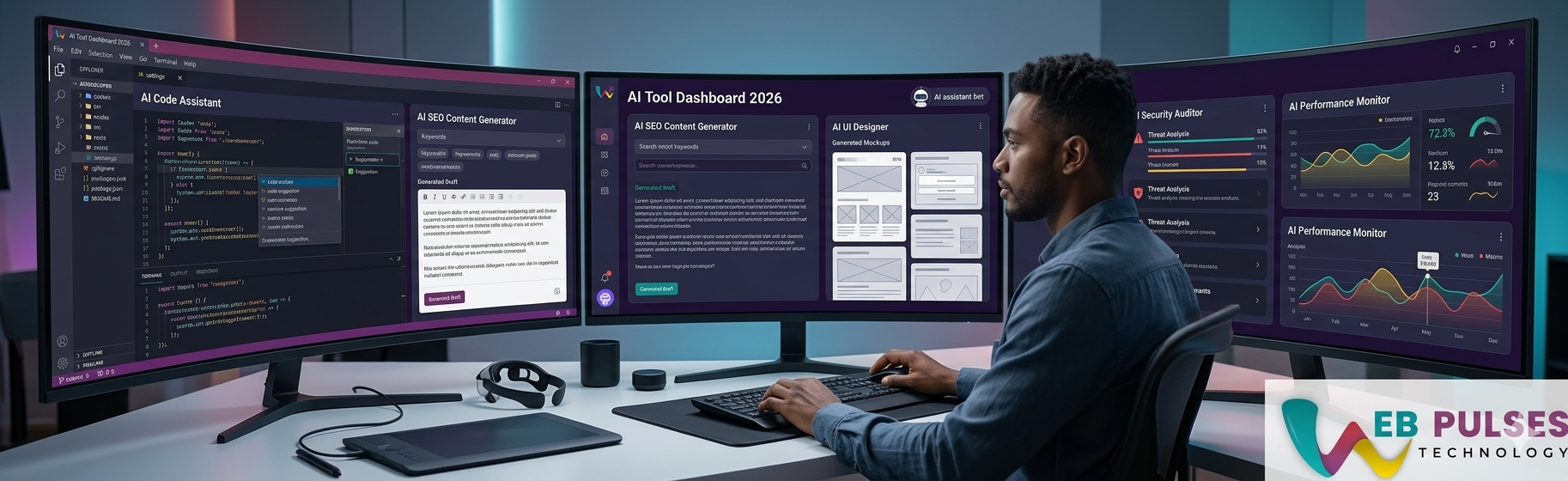
AI tools for web developers are no longer experimental side tools. In 2026, they are part of the daily workflow for writing code, debugging tricky issues, improving UI execution, generating tests, and moving from idea to shipped product faster.
The real value is not just speed. The best AI tools help developers reduce repetitive work while protecting quality, readability, and delivery focus. At Web Pulses Technologies, we see the strongest results when teams treat AI as a productivity layer guided by engineering judgment, not as a replacement for technical thinking.
Why web developers are using AI more in 2026
Modern web projects involve far more than writing HTML, CSS, and JavaScript. Developers now work across frameworks, APIs, performance optimization, accessibility, analytics, testing, SEO requirements, and collaboration with design and product teams.
AI tools help absorb some of that complexity. They shorten repetitive tasks, speed up exploration, and make it easier for developers to move through research, coding, debugging, and documentation without losing momentum.
1. ChatGPT
ChatGPT remains one of the most flexible AI tools for developers because it can support debugging, architecture thinking, code explanation, testing ideas, technical writing, and prompt-based problem solving. It is especially useful when developers need reasoning help instead of simple code completion.
For web teams, ChatGPT works well when explaining framework behavior, fixing frontend bugs, outlining API integrations, or improving internal documentation.
2. GitHub Copilot
GitHub Copilot is still one of the most popular paid AI tools for coding acceleration. It is helpful for boilerplate, repeated component patterns, utility functions, request handlers, and faster implementation inside the editor.
Its biggest strength is reducing repetitive typing while keeping developers inside the IDE. It works best when teams review suggestions carefully and avoid accepting generated code blindly.
3. Codeium
Codeium continues to attract developers looking for a strong free or lower-cost coding assistant. It supports code completion, workflow speed, and editor-based assistance across multiple languages and environments.
For individual developers or smaller teams, Codeium can be a useful option when the goal is productivity support without jumping immediately to a higher paid plan.
AI for debugging
Debugging is one of the most practical AI use cases for web developers. Instead of spending long stretches isolating a bug from scratch, developers can use AI to analyze stack traces, explain probable causes, compare possible fixes, and generate cleaner troubleshooting steps.
This is especially helpful in React, Next.js, Node.js, Laravel, API integration, and browser compatibility issues where context switching usually slows teams down.
AI for UI and frontend support
AI tools are also helping with frontend work by suggesting layout directions, component structures, copy variations, and accessibility improvements. They can speed up landing page work, dashboard scaffolding, responsive refactors, and UI experimentation.
The best teams still review spacing, semantics, accessibility, and brand consistency manually. AI is most useful for first drafts and direction, not final polish by itself.
AI for testing and QA
Testing support is another high-value area. AI can help create test case ideas, edge-case coverage, mock data, and basic unit or integration test drafts. That gives developers a faster starting point and reduces friction in maintaining quality during fast releases.
When used properly, this improves coverage and reduces the chance that rushed releases skip important validation.
Free vs paid AI tools
- Free tools are useful for experimentation, lighter coding support, and solo workflows where budget matters.
- Paid tools usually offer better context handling, stronger integrations, faster responses, and more reliable support for professional teams.
- The right choice depends on workflow depth, project size, collaboration needs, and how much value your team gets from reduced delivery time.
Which tool is best?
There is no single winner for every team. ChatGPT is excellent for reasoning and problem solving. GitHub Copilot is strong for in-editor coding acceleration. Codeium is appealing for developers looking for accessible AI coding assistance with a lighter cost barrier.
Many teams benefit from using more than one tool, as long as each tool has a clear purpose in the workflow.
How to choose the right stack
Start by identifying which problem you want to solve first. If the bottleneck is repeated coding effort, use an editor-based assistant. If the bottleneck is planning, debugging, or technical explanation, use a reasoning-focused assistant. If the bottleneck is interface drafting or content support, add a tool that helps on the frontend side.
A small, well-defined AI stack is usually more effective than adding too many tools at once.
Final takeaway
The top AI tools for web developers in 2026 are the tools that improve output without reducing engineering quality. ChatGPT, GitHub Copilot, and Codeium each offer real value across debugging, UI support, testing, and day-to-day development speed.
If you want to build a modern, AI-assisted web delivery workflow for your team, connect with Web Pulses Technologies to plan the right development stack and execution model.
Practical Context for Top AI Tools for Web Developers in 2026 (Free & Paid)
Most teams researching top AI tools for web developers in 2026 are trying to make better business decisions, not just collect information. The real challenge is translating ideas into repeatable execution steps that improve delivery quality, reduce mistakes, and keep growth predictable over time. In web development, progress usually comes from consistent processes, better measurement, and stronger alignment between strategy and implementation.
When teams skip this operational layer, they often produce activity without outcomes. The right way to use this guidance is to connect each recommendation to a real workflow, assign ownership, and track measurable impact. This turns theory into practical improvement.
Common Mistakes and How to Avoid Them
A frequent mistake is optimizing isolated tasks instead of end-to-end outcomes. For example, teams may focus only on tooling, only on content output, or only on channel-level execution while ignoring the system that connects planning, execution, and measurement. Another mistake is making changes without baseline metrics, which makes it difficult to know whether quality actually improved.
A better approach is to define clear input metrics, process metrics, and outcome metrics. Then iterate with small, testable improvements. This creates compounding gains and prevents random strategy changes that reset learning.
Execution Framework You Can Apply Immediately
Start by documenting the current process for this area in simple steps. Identify the two or three stages where quality drops most often. Add checklists for those stages, improve handoff clarity, and make expected outputs explicit. Next, create a short review loop so each cycle produces feedback that can be applied in the next cycle. This repeatable structure usually improves both speed and consistency.
For teams scaling quickly, standardization is essential. Shared templates, naming conventions, and governance rules reduce rework and make collaboration easier across design, engineering, marketing, and analytics functions.
Measurement and SEO Performance Considerations
Strong execution should always connect to measurable outcomes such as organic visibility, qualified traffic, conversion quality, retention, and revenue contribution. In SEO-focused workflows, this means mapping target intent, improving topical depth, strengthening internal linking, and maintaining content freshness. In product or engineering workflows, it means tracking release quality, reliability, and user task completion.
The key is to avoid vanity metrics in isolation. A high traffic number without engagement or conversion value is not enough. Pair visibility metrics with business metrics to understand true performance.
Scaling the Strategy Across Teams
As organizations grow, cross-functional alignment becomes a major differentiator. Content, SEO, development, and growth teams should work from shared priorities and shared definitions of success. Weekly planning, clear ownership, and transparent reporting reduce bottlenecks and protect quality during scale.
This is especially important in fast-moving categories like web development where tactics change quickly. Teams that keep a stable operating rhythm can adapt faster without losing strategic direction.
Recommended Next Actions
To move from insight to implementation, choose one high-impact use case and apply this framework end to end. Define baseline metrics, ship a focused improvement sprint, and review outcomes after a fixed interval. Then scale what works to adjacent workflows. This phased approach reduces risk and increases confidence in decision-making.
If your team is working on AI Tools for Web Developers, Developer Productivity, AI Coding Tools, Web Development, Free vs Paid Tools, build a documented playbook so future execution remains consistent even as priorities evolve. The best long-term results come from systems, not one-off efforts.
Written by
Web Pulses Technologies Editorial Team
Published April 4, 2026 · 5 min read